LocoM2 for Intercom
LocoM2 for Intercom
Couldn't load pickup availability
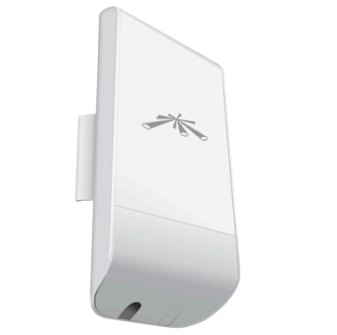
High powered 2.4GHz access point . Ideal for extending outside wireless range to the intercom products. With up to 150Mbps data throughput, the Loco M2 is the ideal choice for long range wireless IP camera solutions.
- Indoor/Outdoor Wireless CPE
- Up to 150Mbps throughput
- Up to 5km range (line of sight)
- 8.5dBi gain
- 1x 10/100 Ethernet port
- 24V PoE power adapter included
Disable airMAX to work as a standard access point to work with View+ and View KP+ or with our Wifi camera. Range is up to 30m in this mode.
To disable airMAX on a Ubiquiti NanoStation Loco M2 so standard 2.4GHz devices (such as laptops, phones, or standard IP cameras) can connect, the change must be made directly on the unit operating as the Access Point (AP).
Note: If a Loco M2 is configured in Station mode (acting as a receiver), the option to toggle airMAX will not appear, as it automatically matches the protocol of the broadcasting AP.
The configuration layout in airOS requires adjusting the following settings:
The Steps
Wireless Channel Width Verification: Standard Wi-Fi devices generally only scan and connect to standard 20MHz or 40MHz channel widths. If the Loco M2 is set to a non-standard width (such as 5MHz, 10MHz, or 30MHz) under the Wireless tab, external devices will still be unable to see or associate with the SSID even after airMAX is disabled. For maximum compatibility with local equipment, ensure the Channel Width is set to 20MHz.